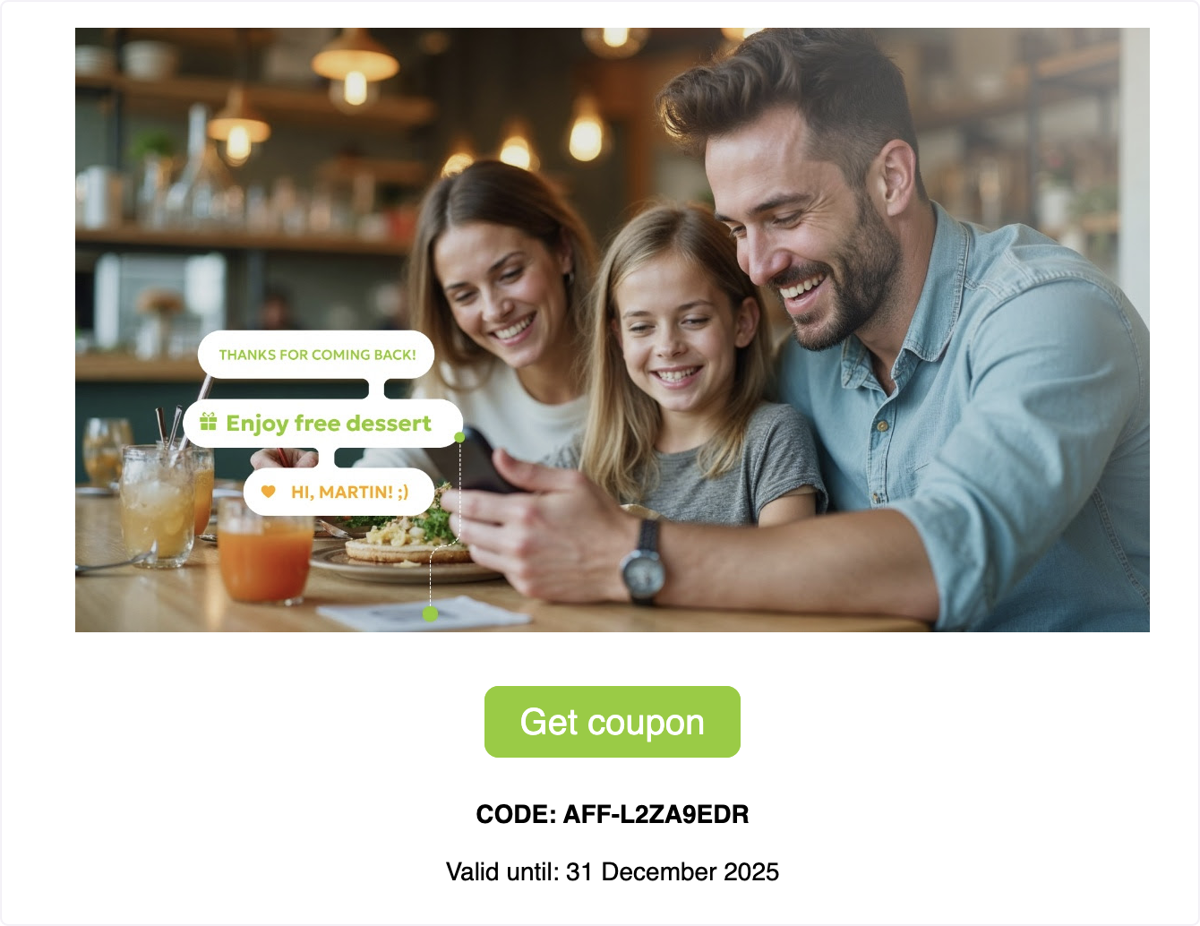
See exactly how your coupon email appears when it lands in a customer’s inbox, including branding, subject line, and call-to-action.
Affinect
Coupon Preview in Customer's Inbox
This is how the coupon email will appear in the customer’s inbox, fully branded to your business.
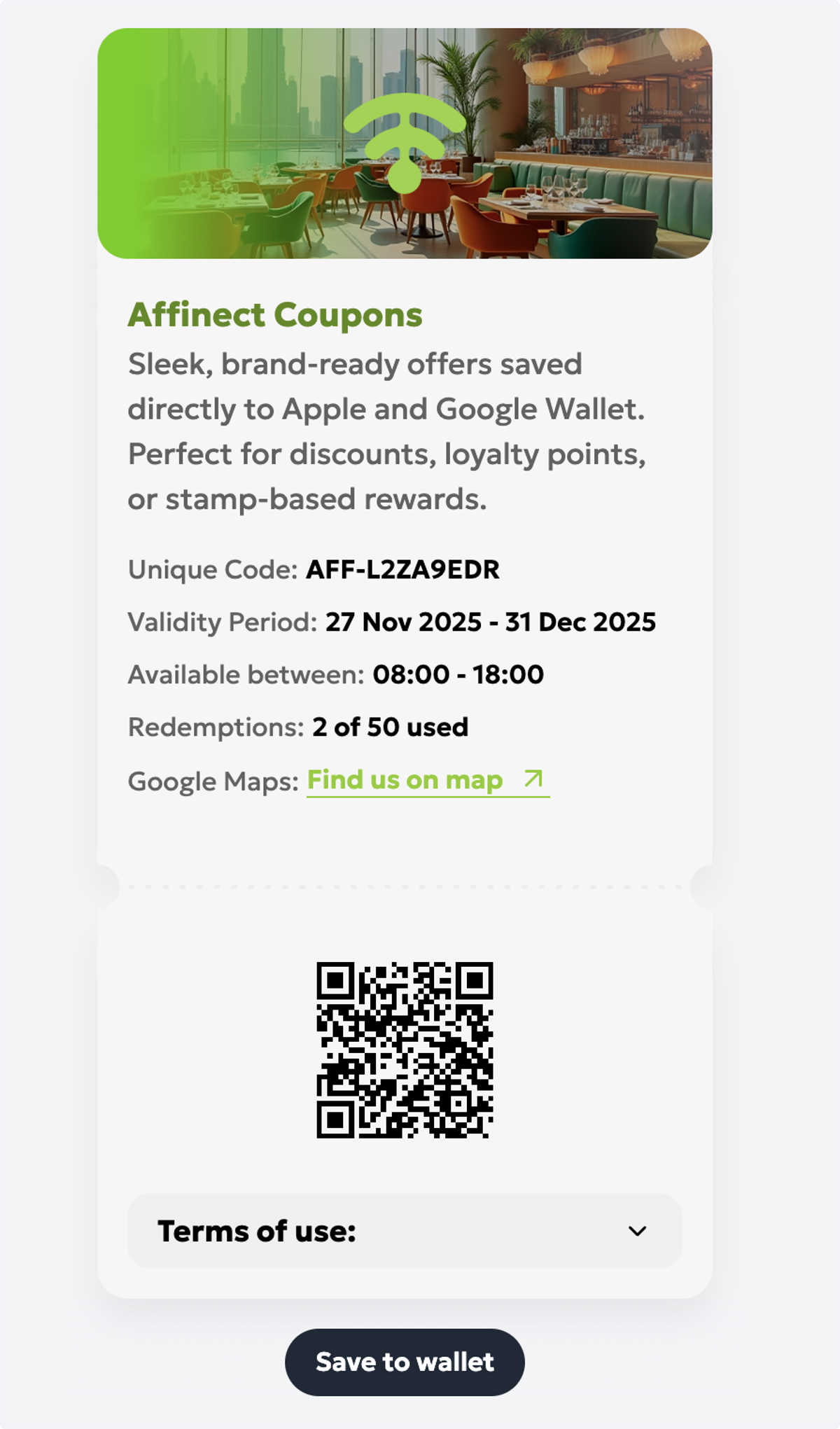
Digital Wallet Saving
When customers click Get Coupon (or your chosen CTA), they can save it directly to their digital wallet.
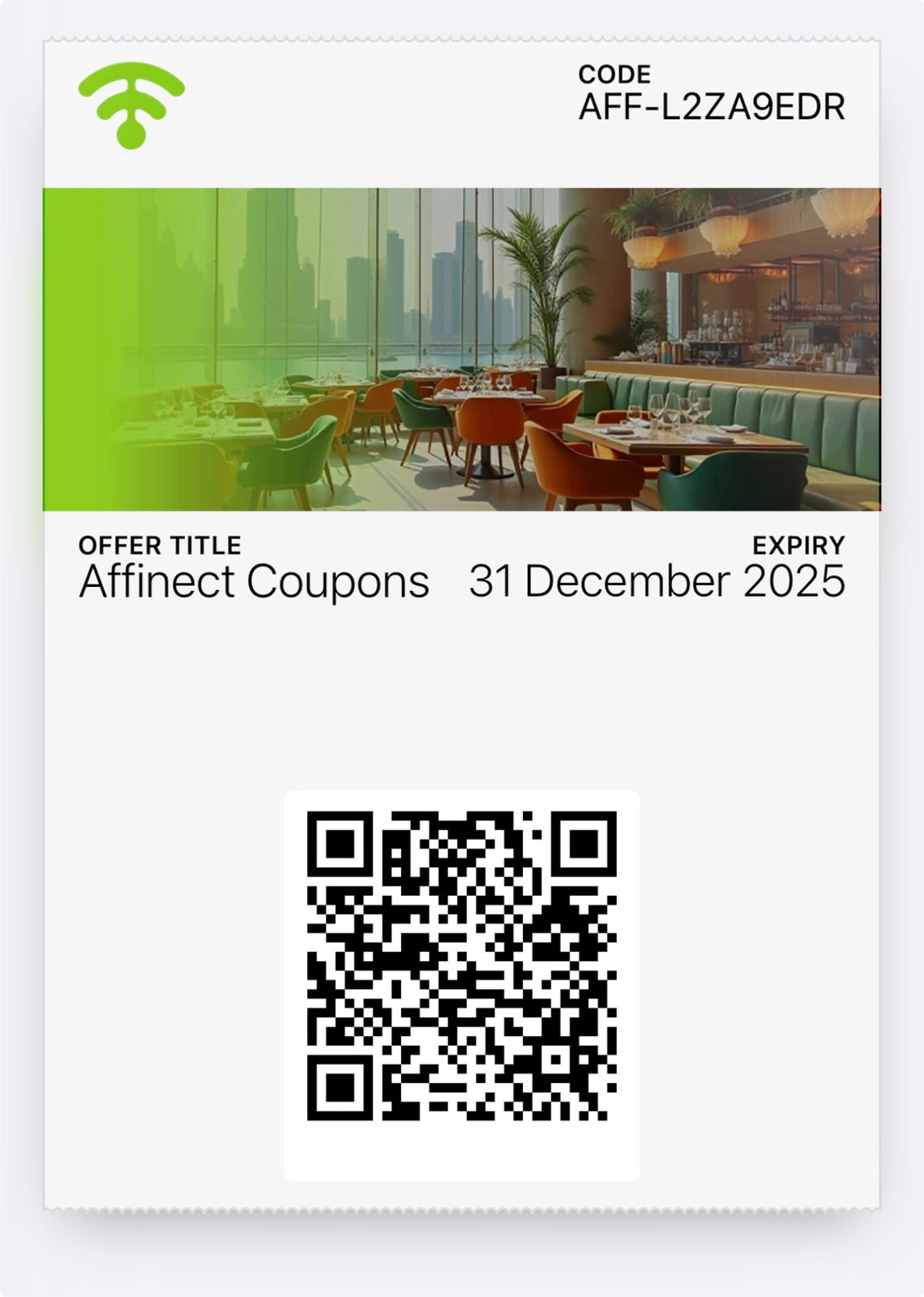
Preview Wallet Appearance
See how the coupon will look once saved in the customer’s wallet.
Manage Notifications and Removal Options
Customers can enable notifications, receive updates, or remove the coupon if they choose.
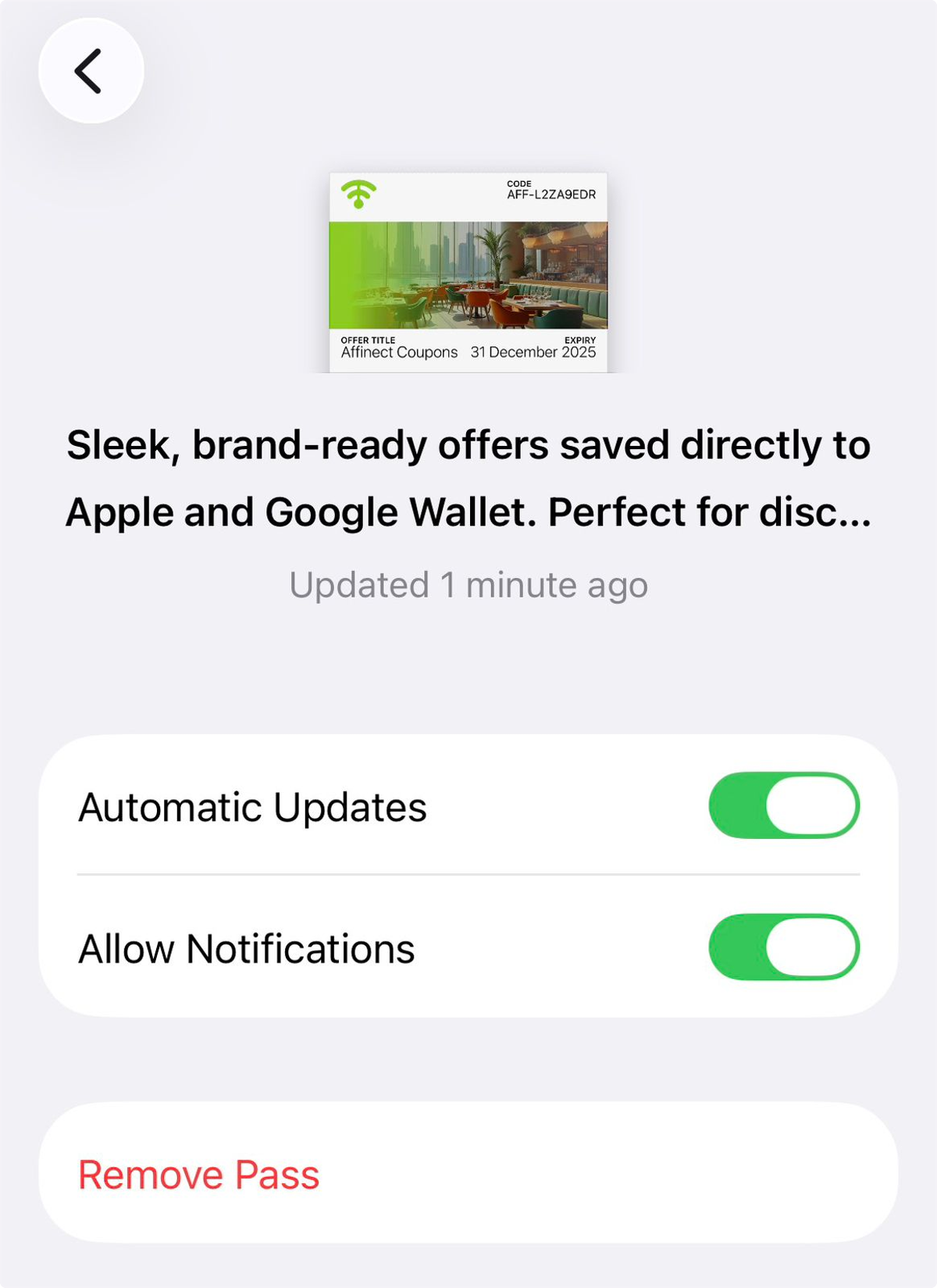
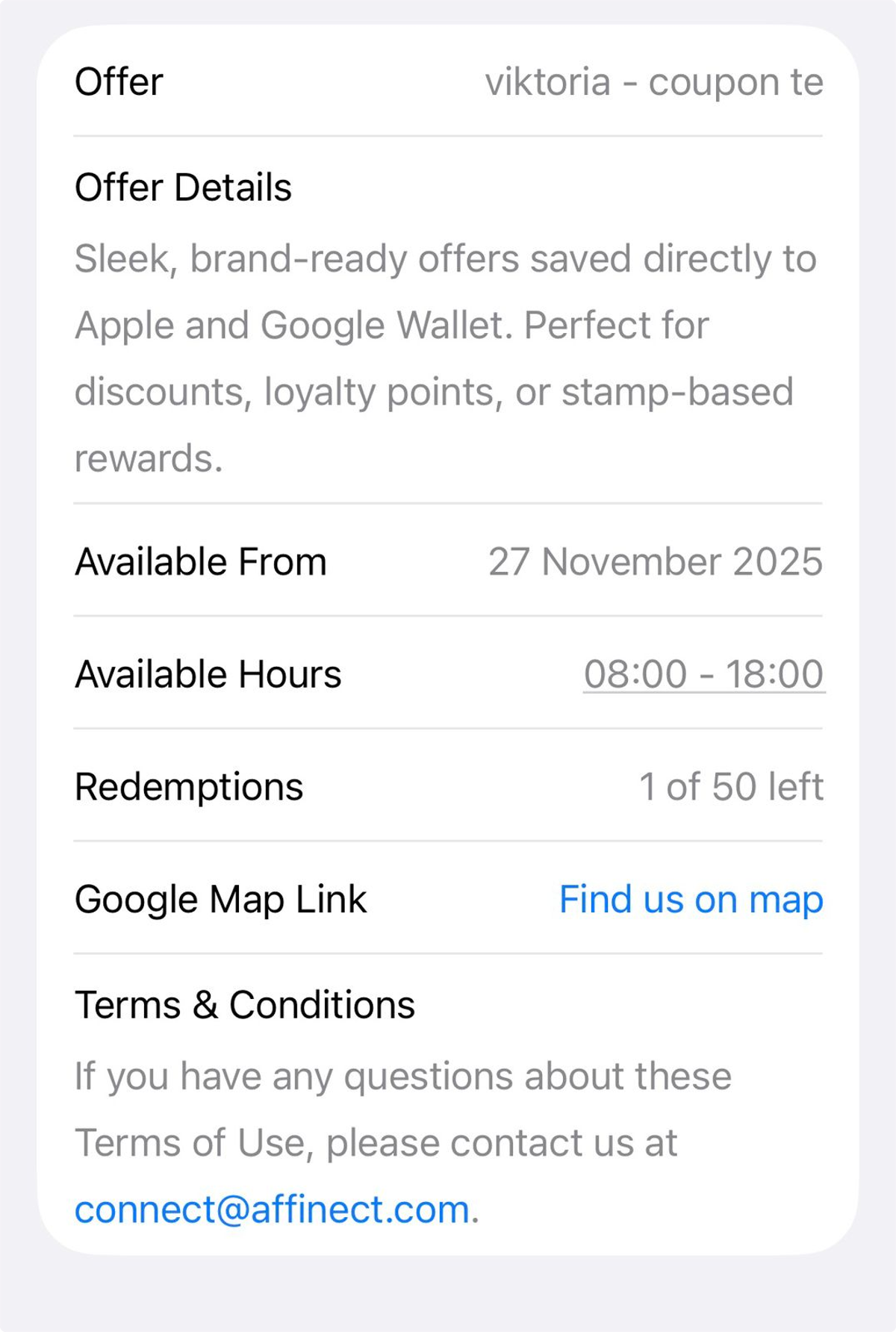
Final Customer Experience Preview
Here's how the full offer appears to customers!
Cancelled and Expired Coupons
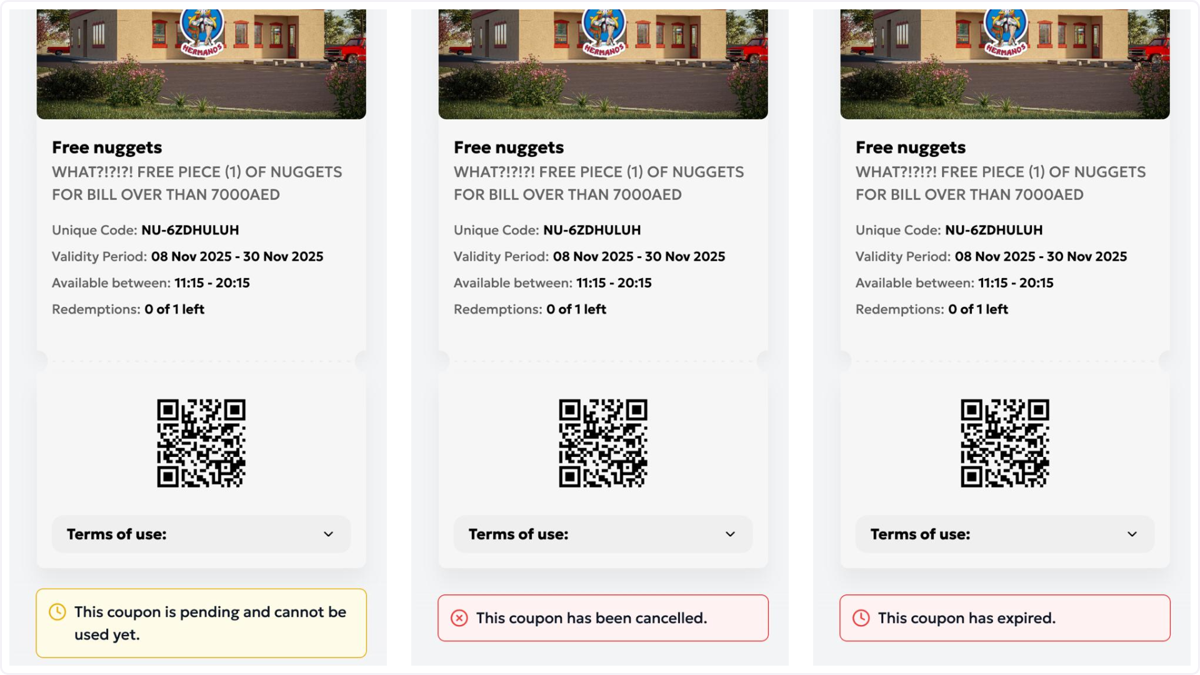
Here's how pending, canceled, and expired coupons will appear in the customer. Tada! Now you can design a coupon and check for yourself.