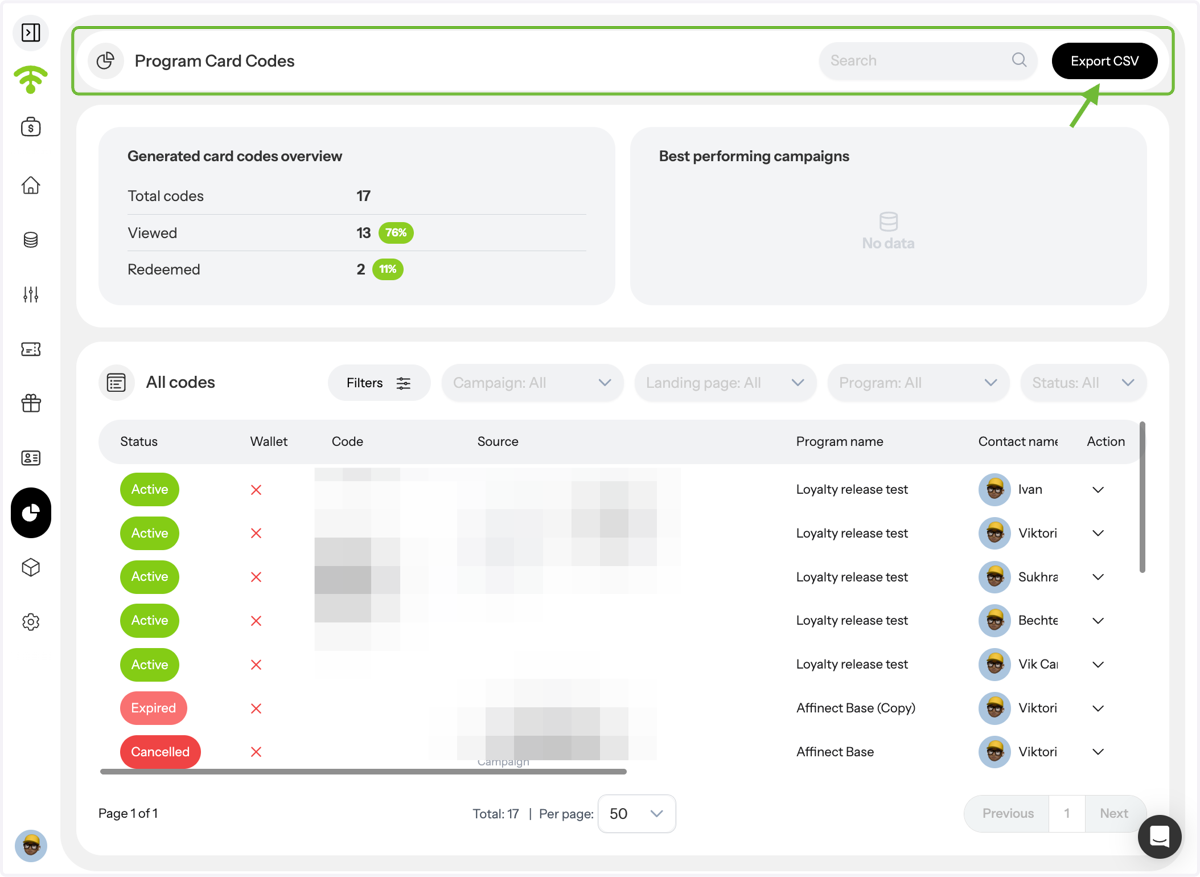
Access all your coupons in one place to quickly review their status, performance, and details.
Affinect
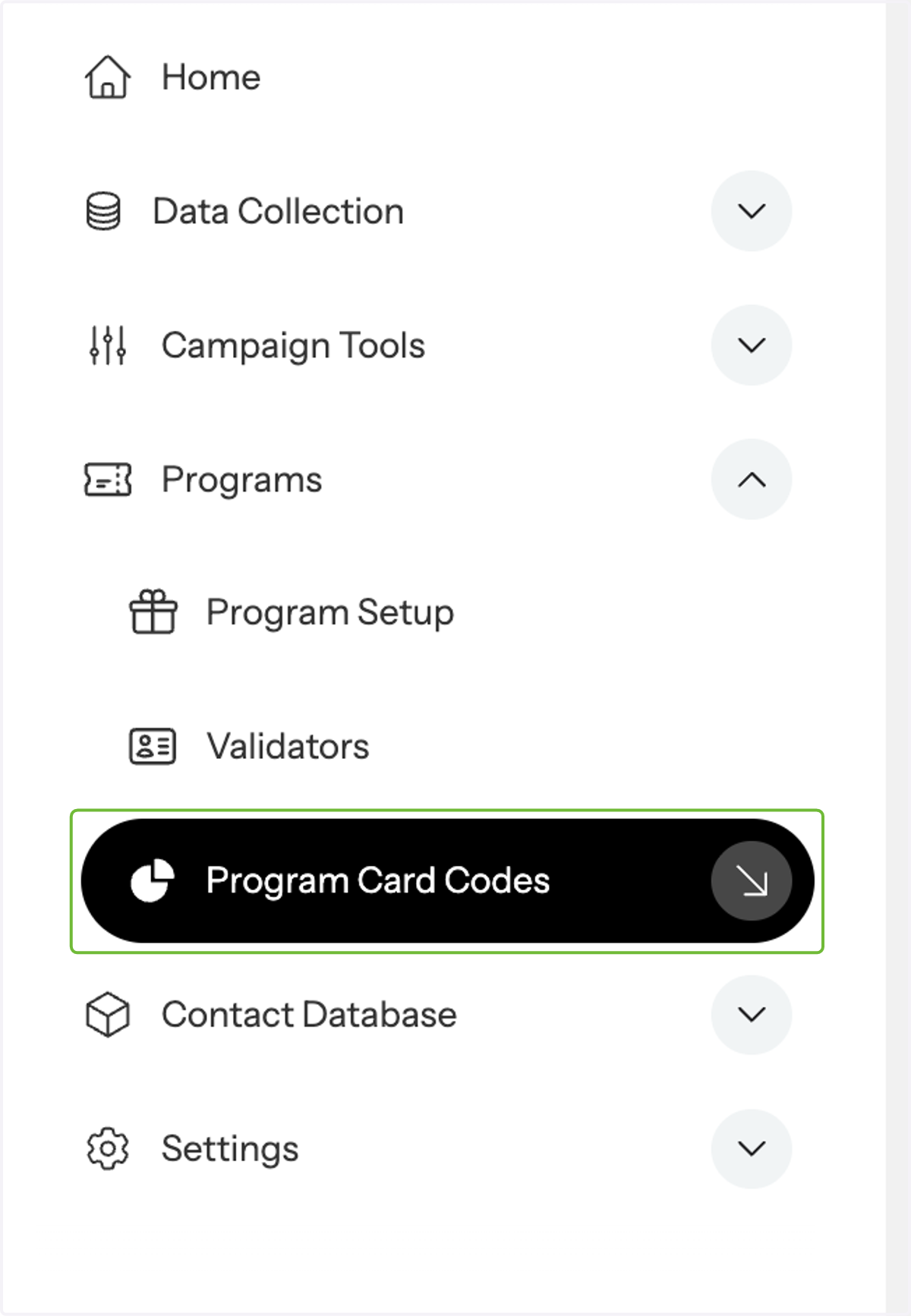
Navigate to Program Card Codes
Under Programs, go to program card codes.
Preview Programs
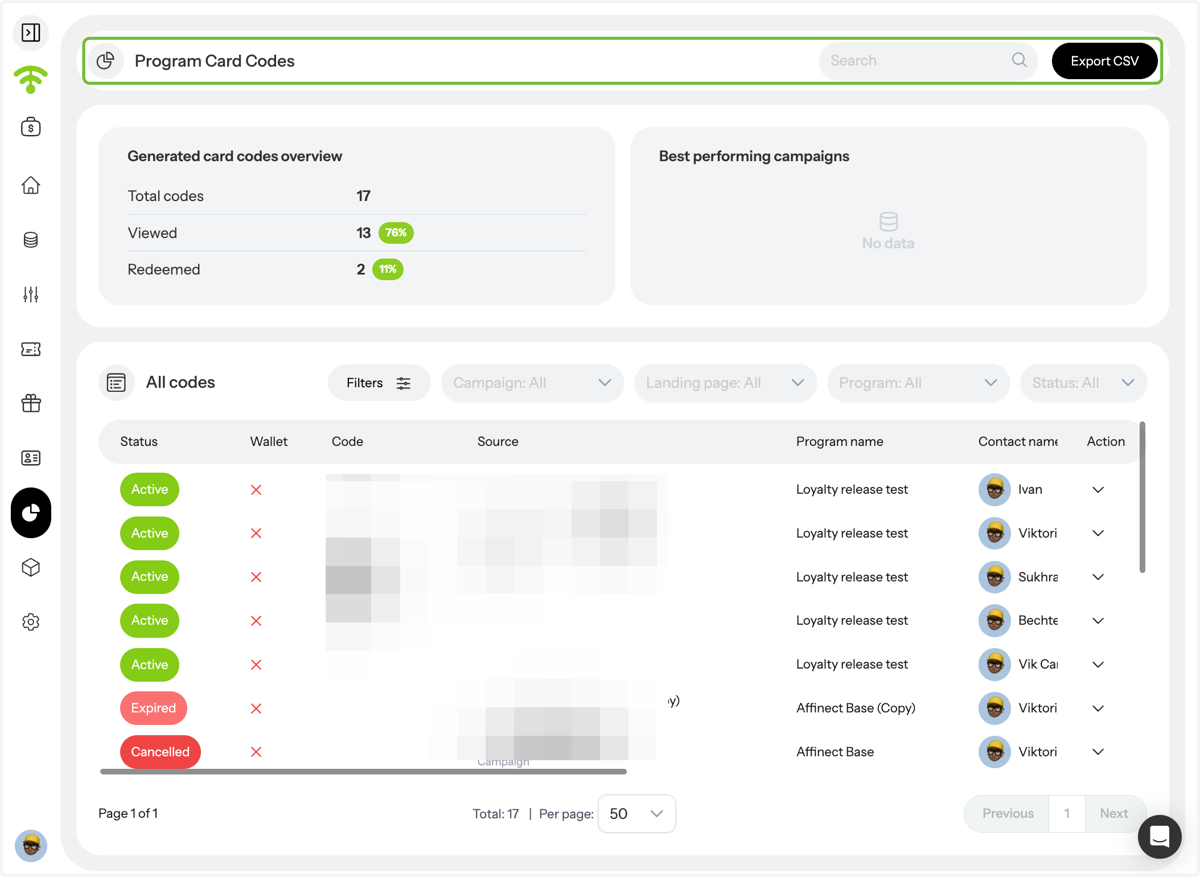
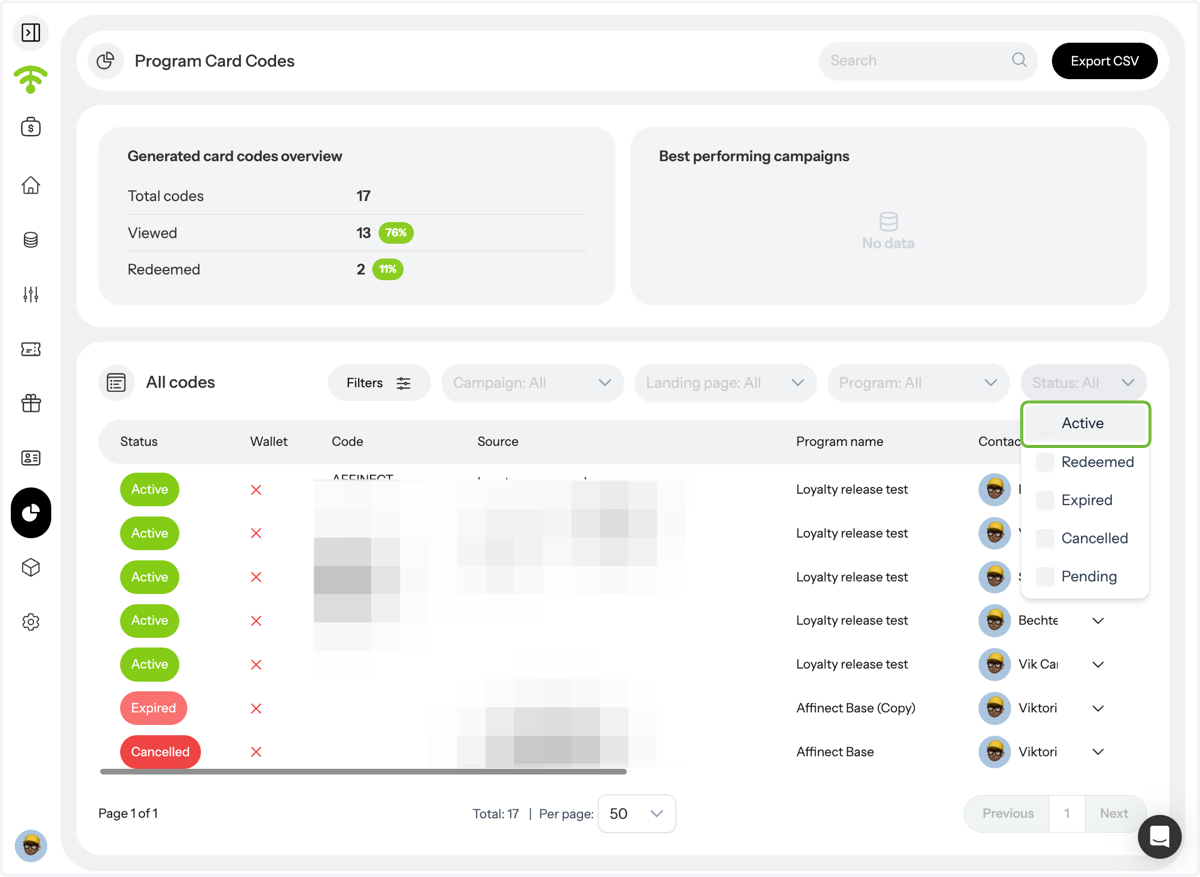
A detailed preview of all your programs will appear. Scroll down to see the full program list, including coupon codes, campaign names, coupon names, contact names, and current status. You can also see whether the coupon was saved to the wallet or not.
View Coupons
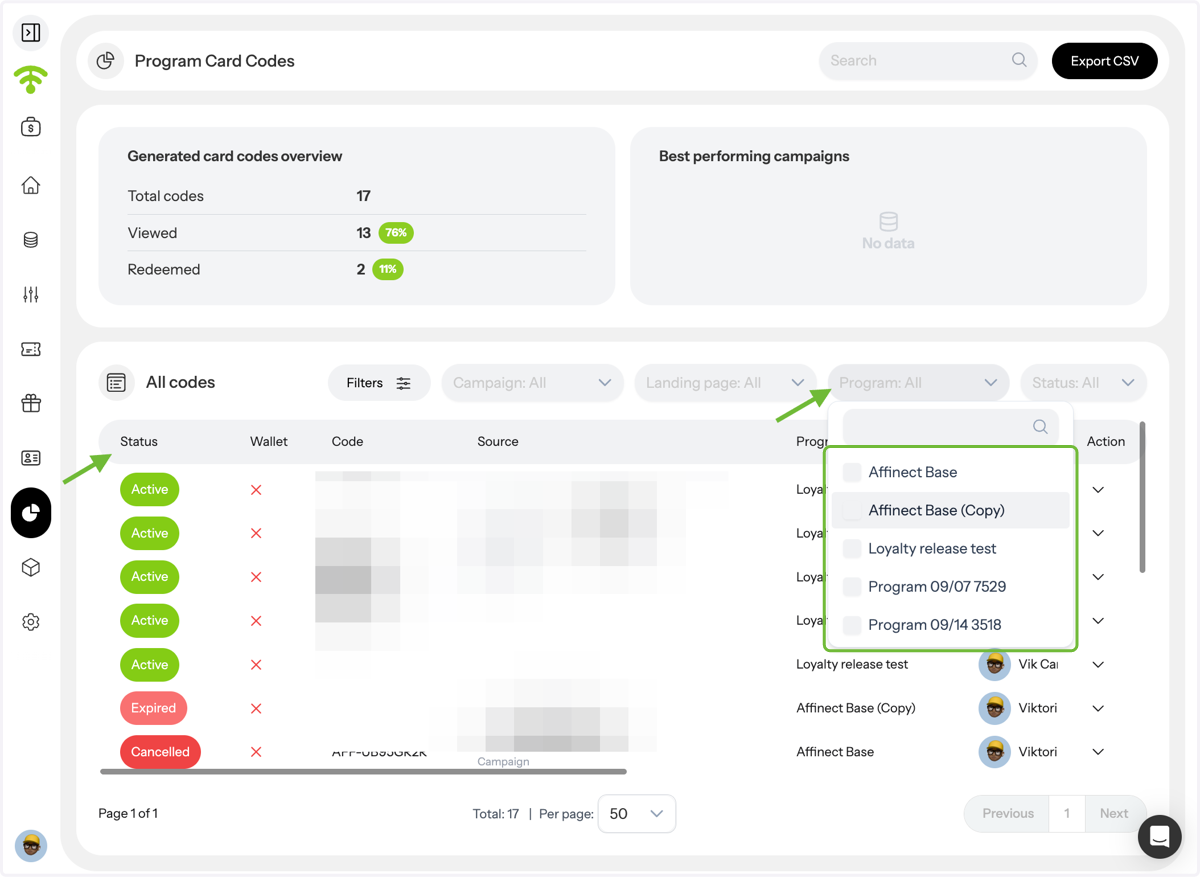
To filter coupons, you can select your desired coupon from the programs.
Filter Coupons by Status or Criteria
You can also use filters to search manually or narrow results by status: active, redeemed, expired, cancelled, or pending.
Export Coupon Data
Click Export CSV in the top-right corner to download your coupon data for reporting or analysis.